
NurseBrain: Smart Report Sheet
Nurse Brainer IncMedical
4.522.00 Reviews
- Version
- 3.7.292
- Installs
- 10.00K
- Age Rating
- Everyone
Screenshots
Our Review of NurseBrain: Smart Report Sheet
 Analysis by Appyee
Have you ever wished for a magic wand that could simplify your hectic nursing shifts? Well, I might have found just the thing for you! Let me introduce you to NurseBrain: Smart Report Sheet. I’ve been diving into this app recently, and I’m here to spill all the details. So grab a cup of coffee, and let's explore this together.
What’s All the Buzz About?
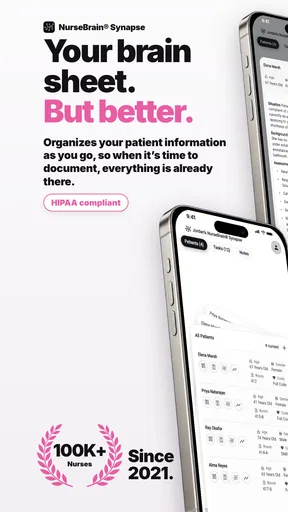
NurseBrain is like that trusty friend who never lets you down. It’s designed to streamline report-taking and patient care documentation, which, let’s face it, can be a real headache sometimes. The app promises to make your life easier by centralizing all the essential data you need right at your fingertips.
First Impressions
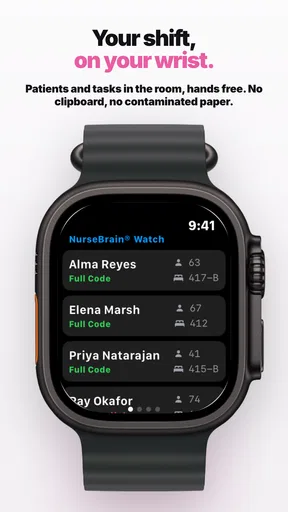
Downloading and setting up NurseBrain was a breeze. The interface is clean and intuitive, which is a huge plus when you’re juggling multiple patients and tasks. It’s available on both Android and iOS, so no worries about compatibility here.
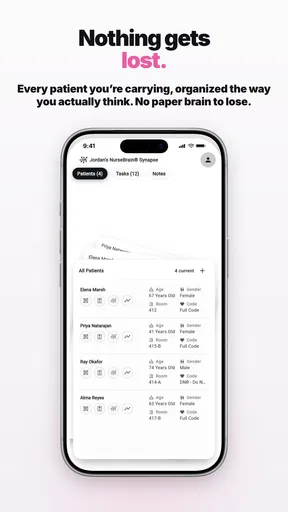
Once you’re in, the dashboard greets you with a neat layout. It’s not cluttered, which means you can find what you need without breaking a sweat. The app allows you to create individualized patient profiles and keep track of their information effortlessly.
Features That Stand Out
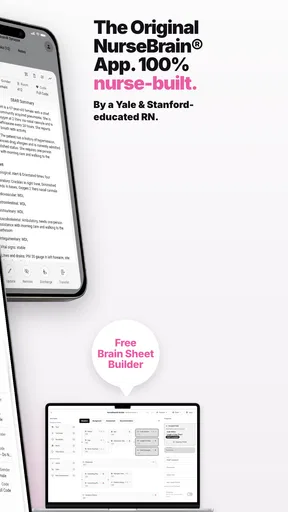
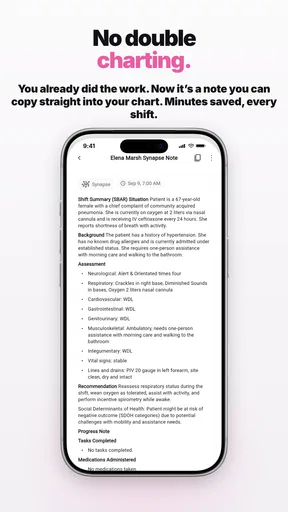
What really caught my eye is the customizable templates for report sheets. You can tweak them to your specific needs, which is super handy because every shift is different. The app also supports voice-to-text, saving you those precious minutes during a busy day.
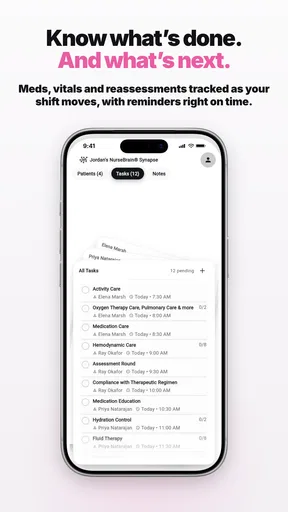
Another feature I found invaluable is the medication tracker. It helps you manage and record medication administration without missing a beat. Plus, the calendar integration keeps you on top of your schedule, preventing any overlap or confusion.
Performance in Action
During my shifts, NurseBrain performed like a champ. It was responsive and didn’t crash, which is crucial when you’re relying on it for real-time data. The app keeps everything synced, so whether you’re on your phone or tablet, your data is consistent.
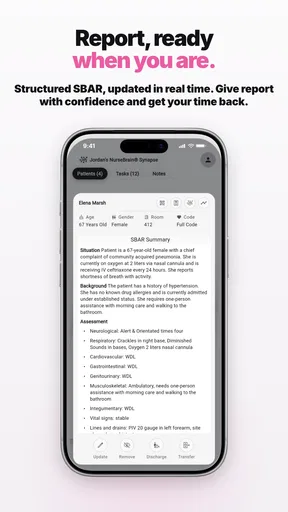
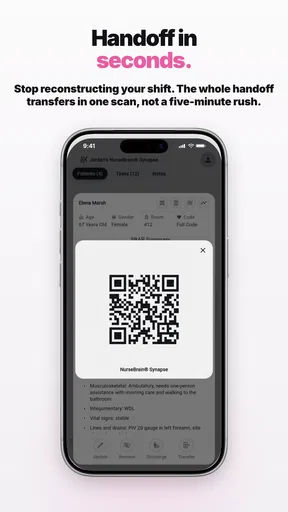
The reporting feature is a game-changer. I could easily share updates with my colleagues, ensuring continuity of care. It’s also great for end-of-shift handoffs, making sure nothing slips through the cracks.
Areas for Improvement
While I was mostly impressed, there are a couple of areas where NurseBrain could step up its game. The learning curve might be a bit steep for those who aren’t tech-savvy. A more detailed onboarding tutorial could help new users get up to speed faster.
Additionally, while the templates are customizable, offering a few more pre-made templates might be beneficial for those in different specialties or settings.
Final Thoughts
In a nutshell, NurseBrain: Smart Report Sheet is a powerful tool for nurses looking to simplify their workload. It brings efficiency and organization to the chaos of healthcare, which is no small feat. While there’s room for a few tweaks, the app is definitely a step in the right direction.
So, if you’re ready to upgrade your workflow and say goodbye to paper clutter, give NurseBrain a whirl. It just might become your new favorite shift companion!
Verdict
Strengths of NurseBrain: Smart Report Sheet
- User-friendly interface for easy navigation.
- Customizable templates for personalized reports.
- Secure cloud storage for data protection.
- Real-time collaboration with team members.
- Offline mode for uninterrupted access.
Limitations of NurseBrain: Smart Report Sheet
- Limited language options available.
- Subscription required for premium features.
- Occasional sync issues reported.
- High battery usage during extended sessions.
- Limited integration with other healthcare apps.
Similar Picks in This Category
View All
WebMD: Symptom Checker
WebMD, LLC4.1

Microphone Amplifier
DOSA Apps4.2

Anatomy Learning - 3D Anatomy
3D Medical OU4.5

Period Tracker and Calendar
SimpleInnovation4.9

GoodRx: Prescription Coupons
GoodRx4.8

CVS Health
CVS Pharmacy4.5
Frequently Asked Questions
What is NurseBrain: Smart Report Sheet and how does it benefit nurses?
NurseBrain: Smart Report Sheet is a comprehensive app designed for nurses to streamline patient care management. It provides features like patient information tracking, shift management, and customizable report sheets. This app enhances efficiency by reducing paperwork and allowing nurses to focus more on patient care, making their workflow smoother and more effective.
Is NurseBrain: Smart Report Sheet compatible with both Android and iOS devices?
Yes, NurseBrain: Smart Report Sheet is available for both Android and iOS devices. Users can download the app from the Google Play Store for Android devices and the Apple App Store for iOS devices, ensuring easy access and seamless integration into their daily nursing routines.
Does NurseBrain: Smart Report Sheet offer data security and patient privacy?
Absolutely. NurseBrain prioritizes data security and patient privacy by implementing advanced encryption and security protocols. The app ensures that all sensitive patient information is protected, complying with relevant healthcare data protection regulations to maintain trust and confidentiality for both patients and healthcare providers.
Are there customization options available in NurseBrain: Smart Report Sheet?
Yes, NurseBrain offers extensive customization options to cater to individual nursing needs. Users can tailor the report sheets, shift alerts, and patient information fields to match their specific requirements, allowing for a personalized experience that enhances user convenience and adaptability in various healthcare settings.
What kind of support and resources are available for new users of NurseBrain?
NurseBrain provides a range of support options for new users, including detailed user guides, tutorials, and responsive customer support. Additionally, there are community forums and FAQs available to help users navigate the app efficiently and address any issues or questions they might encounter during usage.
